DJI Ronin1.4.5
Publisher Description
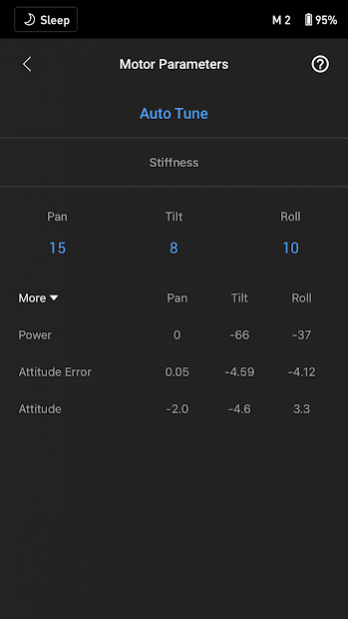
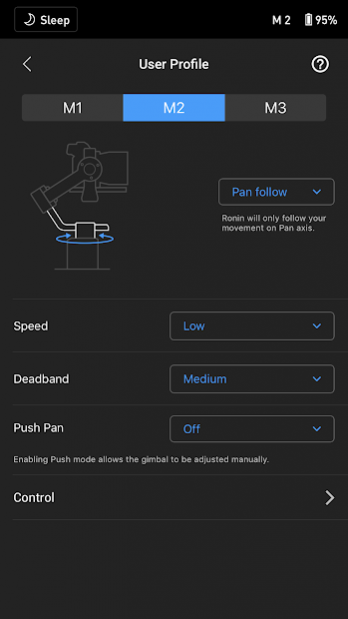
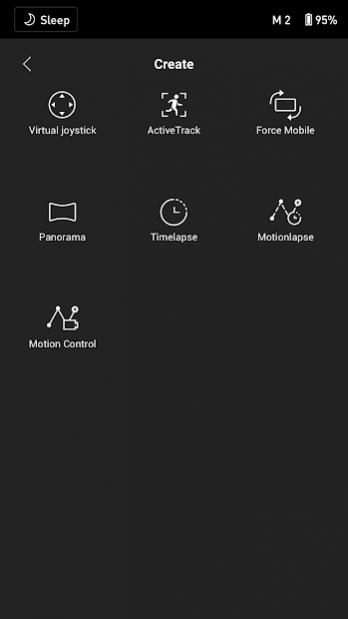
DJI Ronin App
Main Features:
Real-time Parameter Adjustments
Support for Bluetooth 4.0
Support for DJI Ronin2
DJI Ronin2 Features:
Gimbal Settings: Motor, SmoothTrack,Remote Control
Gimbal Status Monitoring
Gimbal Advanced Control
About DJI Ronin
The company that develops DJI Ronin is DJI TECHNOLOGY CO., LTD. The latest version released by its developer is 1.4.5. This app was rated by 2 users of our site and has an average rating of 4.5.
To install DJI Ronin on your Android device, just click the green Continue To App button above to start the installation process. The app is listed on our website since 2020-12-14 and was downloaded 248 times. We have already checked if the download link is safe, however for your own protection we recommend that you scan the downloaded app with your antivirus. Your antivirus may detect the DJI Ronin as malware as malware if the download link to com.dji.ronin is broken.
How to install DJI Ronin on your Android device:
- Click on the Continue To App button on our website. This will redirect you to Google Play.
- Once the DJI Ronin is shown in the Google Play listing of your Android device, you can start its download and installation. Tap on the Install button located below the search bar and to the right of the app icon.
- A pop-up window with the permissions required by DJI Ronin will be shown. Click on Accept to continue the process.
- DJI Ronin will be downloaded onto your device, displaying a progress. Once the download completes, the installation will start and you'll get a notification after the installation is finished.
Program Details
System requirements
Download information
Pricing
Version History
version 1.4.5
posted on 2020-12-14
RavenEye:
1. A password is no longer required when connecting to the RavenEye Wi-Fi for the first time or after restoring password.
2. Adds support for controlling camera via RavenEye Wi-Fi.
3. Adds beginner tutorials for RavenEye Camera View.
4. Optimizes logic for shutter options. The Shoot + Cache option is selected by default when connected to a camera via the camera control cable.
DJI RS2 and DJI RSC2:
Adds support for setting motor strength under Motor Parameters.
version 1.4.4
posted on 2020-11-25
What’s New for RavenEye:
1. A password is no longer required when connecting to the RavenEye Wi-Fi for the first time or after restoring password.
2. Adds support for controlling camera via RavenEye Wi-Fi.
3. Adds beginner tutorials for RavenEye Camera View.
4. Optimizes logic for shutter options. The Shoot + Cache option is selected by default when connected to a camera via the camera control cable.
DJI RS2 and DJI RSC2:
Adds support for setting motor strength under Motor Parameters.
version 1.4.1
posted on 2020-10-20
Adds support for DJI RS 2 and DJI RSC 2:
1. Supports firmware update function.
2. Adds ActiveTrack through the camera directly via RavenEye.
3. Adds Force Mobile with real-time view monitoring via RavenEye.
Adds support for the RavenEye Image Transmission System:
1. Adds support for viewing image transmission directly on the DJI Ronin app.
2. Adds a video caching function.
3. Adds the RavenEye Assistant function that helps with image transmission features such as LUT, Zebra Stripes.
Bug fixed.
version 1.4.0
posted on 2020-10-15
Adds support for DJI RS 2 and DJI RSC 2:
1. Supports firmware update function.
2. Adds ActiveTrack through the camera directly via RavenEye.
3. Adds Force Mobile with real-time view monitoring via RavenEye.
Adds support for the RavenEye Image Transmission System:
1. Adds support for viewing image transmission directly on the DJI Ronin app.
2. Adds a video caching function.
3. Adds the RavenEye Assistant function that helps with image transmission features such as LUT, Zebra Stripes in real time.
version 1.2.10
posted on 2020-09-14
Updates featured tutorial videos, pictures and information content for Ronin Academy in the upper right corner of the home screen.
version 1.2.8
posted on 2020-06-17
Ronin-SC (Firmware must be upgraded to version 1.4.0.30 or higher.):
Adds support for controlling the Focus Motor using the Ronin App.
General:
Adds support for Spanish.
version 1.2.7
posted on 2019-11-21
Ronin-S and Ronin-SC:
1.Adds wireless gimbal control using Sony PlayStation 4 and Microsoft Xbox gaming controllers.((Android 9.0 or later required)
2.Optimizes ActiveTrack to support Hyperlapse.
3.Adds onscreen prompts for joystick calibration.
Ronin S:
1. Introduces Advanced Calibration for realigning the gimbal.
2. Adds a switch for disabling gimbal portrait mode.
General: Supports allowing users to use basic Ronin app functions when not logged in to their official account.
version 1.2.4
posted on 2019-09-25
Ronin S:
New ActiveTrack 3.0 for intelligent tracking with improved algorithms and deep learning as well as allowing for reframing with the onboard joystick.
Ronin S and Ronin-SC:
1.New Force Mobile function for controlling gimbal movement via the movement of a paired smartphone.
2.Changes zoom speed settings from levels to a numerical range for more precise configurations for Sony cameras.
3.Supports overlapping rate configuration for Panorama shots.
version 1.2.3
posted on 2019-09-06
Fixes the issue where the error message is reported during user registration.
version 1.2.2
posted on 2019-08-28
For Ronin SC:
1. Optimizes Create feature for a smoother user experience.
2. Optimizes the user interface for motor parameter configuration.
3. Changes focus speed settings from levels to a numerical range for more precise configuration.
4. Introduces Advanced Calibration for realigning the gimbal orientation.
For Ronin S:
1. Optimizes Create feature for a smoother user experience.
2. Changes focus speed settings from levels to a numerical range for more precise configuration.
